

Verified searches
A verified search is the full SourcerPro run: brief understood, market searched, every candidate screened against your profile, ranked, with a market read. The approval screen always shows the cost and your remaining allowance before you start.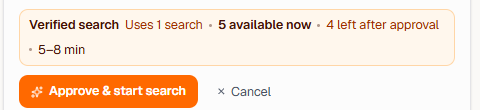
The cost is stated before every run
- Refine, don’t re-run. Refined runs and calibration sharpen an existing search; a new verified search is for a genuinely new role. Each search includes five refinements.
- Front-load the brief. A tight brief means the first run lands, which is the whole economy of the thing.
- Check Smart Match first. Your own pool is free to search.
When you have no searches left
If you start a search with none left, Yena says so right away instead of waiting. The notice shows how many of the candidate searches in your plan you have used this month, and the day the allowance resets. Depending on your plan it offers Start Pro, Upgrade to Team for N searches, or a Need more? link to write to support.Data credits
Data credits pay for contact lookups: 1 credit per revealed email or phone, charged only when something is found. No result, no charge. The discipline that follows: reveal for candidates you’ll actually approach — see Sourcing responsibly.Your current allowances are always visible in the app: searches on the approval screen, and your plan’s totals under Tenant Admin → Billing.