

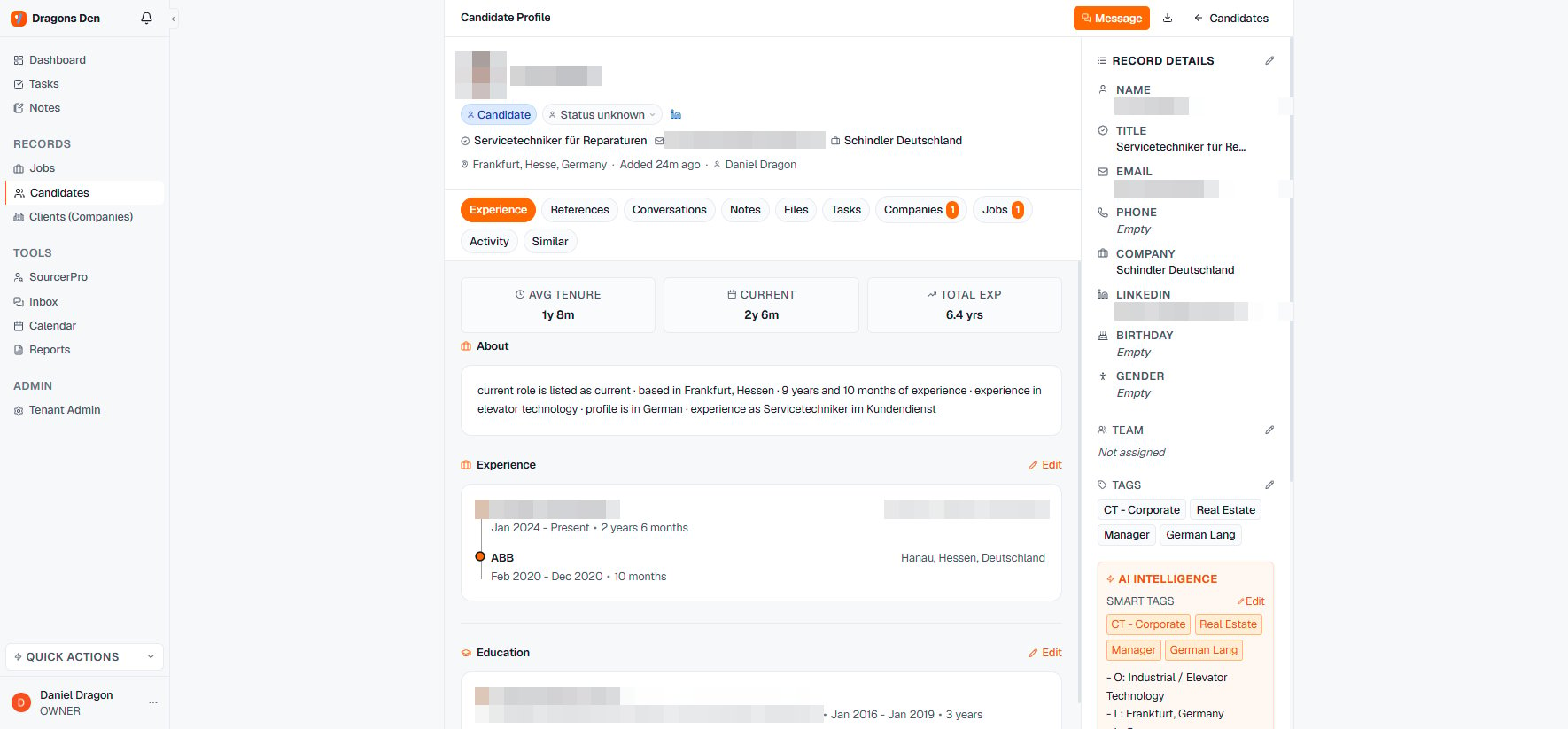
A candidate record with AI Intelligence generated
What’s on the record
- Experience and education with tenure stats: average tenure, time in current role, total experience. Every field is editable.
- Tabs for the working history: References, Conversations, Notes, Files, Tasks, Activity, plus linked Companies and Jobs.
- Record details in the right rail: title, email, phone, company, LinkedIn. Revealed contact details from the Sourcer land here.
- Similar surfaces candidates with a comparable profile from your own database.
Short profile, tags and pay
Three parts of a record are easy to miss, and they matter most after an import from your old system.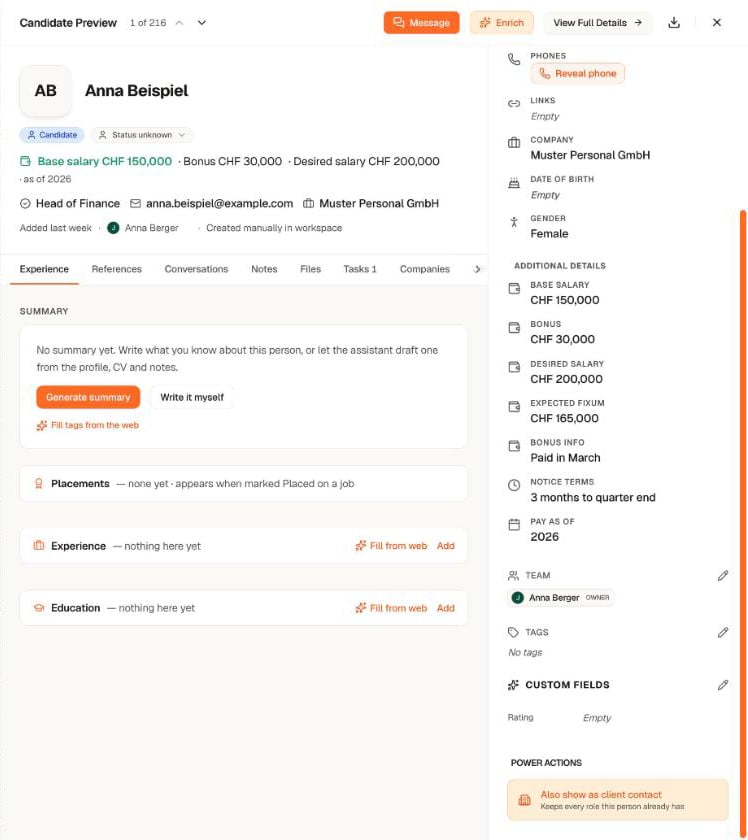
Pay, notice terms and tags in the record details
- Short profile. A profile text saved on the record, for example the “Kurzprofil” an import brought along, has its own heading, Short profile, under the AI summary. It appears only when the record has such a text.
- Tags. The Tags block in the right rail shows every tag on the record: the ones you type yourself with Edit tags and the ones that came with an import or with AI Intelligence. A tag you type stays when AI Intelligence adds its own. Use the Tags filter on the Candidates list to find everyone with a tag. The search reads tags too. See Search and filter candidates.
- Pay in three rows. Under Additional details, Base salary, Bonus and Desired salary hold the pay. Other parts of a salary package show only on records that already hold them. See Salary package, including the offered currency and the earliest start date from the notice terms.