

The per-person status
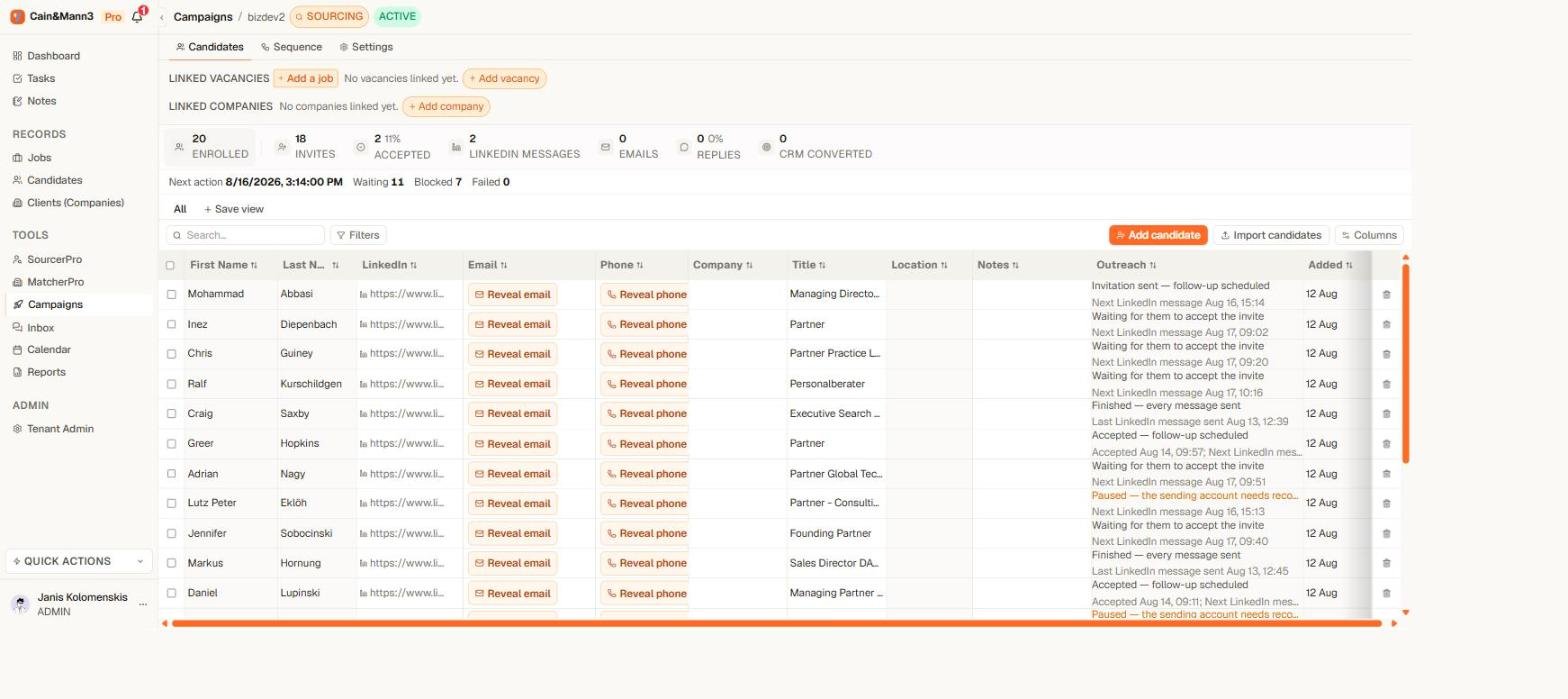
The Outreach column shows the current state and the next scheduled action for every person
- the current state — for example Waiting to send, Waiting for invitation acceptance, Replied, or Could not send;
- the useful detail — the exact next scheduled action (“Next: Email at 14 Aug, 09:00”), when an invitation was accepted, or the reason something failed.
The step line
Open the campaign’s Sequence tab. Every step card ends with one sentence: N people waiting here · N sent · N replied after. Below the last step: N people finished all steps. Each number is a link that filters the People tab to exactly those people; Show all clears it. “Replied after” credits the step that was sent last before the person answered, so you can see which message does the work.The campaign numbers
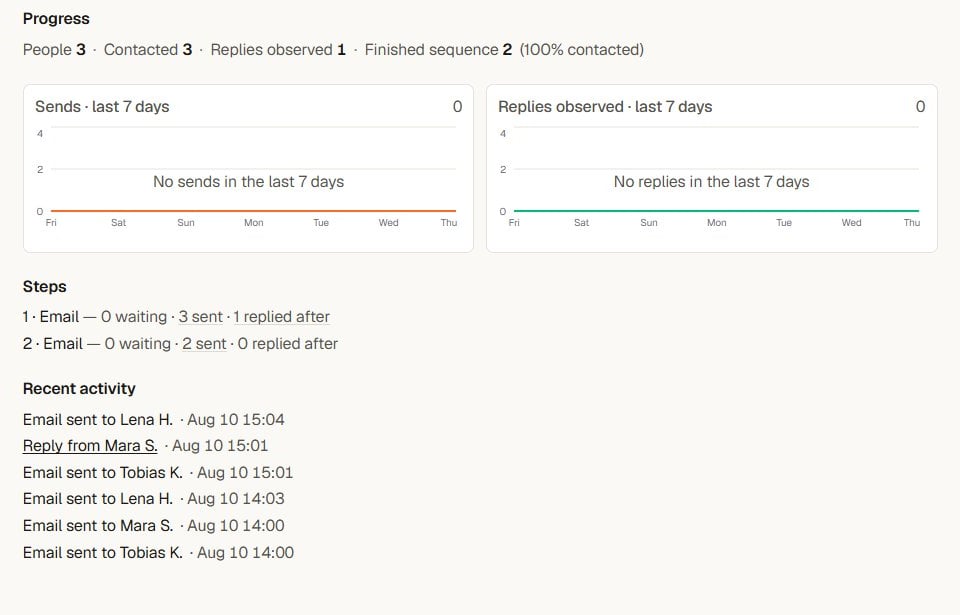
The Overview counts only provider-confirmed sends, never intentions
- Progress: People · Contacted · Replies observed · Finished sequence, and the share contacted. Contacted counts people with at least one confirmed send, so the share never goes above 100%.
- Two charts for the last 7 days: sends and replies observed. An empty chart reads “No sends in the last 7 days” when the campaign sent earlier, and “No sends yet” when it never sent.
- Steps: one line per step, “N waiting · N sent · N replied after”. Each number opens the People tab filtered to exactly those people.
- Recent activity: the latest sends, accepted invitations, replies and failures with their time. A reply links to the conversation in Inbox.
When someone replies
The reply rule is absolute, and it works the same on every channel:- The reply is matched to the person.
- They exit every campaign in your workspace — not just the one they answered.
- All their remaining steps are cancelled.
- Their status advances to Replied.
- You get a notification linked to the conversation in Inbox.
A reply can only stop a campaign if Yena can match it to a person. Messages from unknown senders stay visible in Inbox as unlinked conversations — Yena never guesses who they belong to.
Troubleshooting
- The funnel looks lower than the people count: people without the needed contact details, or whose invitation was never accepted, are counted under skipped — not under sends that never happened.
- A reply came in but the person still shows a scheduled step: matching runs when the account syncs; the step is cancelled before it becomes due. If the person replied from a different address or profile, link the conversation to them in Inbox.
- Numbers differ from your CRM statuses: the funnel counts execution facts (confirmed sends, acceptances, replies). CRM statuses on the contact are yours to edit and are tracked separately.