

yena.ai/careers/<your-address> and is managed from Tenant Admin → Career Page.
Everything on this screen saves with one Save changes action, and the public page updates within moments. Nothing is public until you switch the page live.
1. Let AI build the page from your website
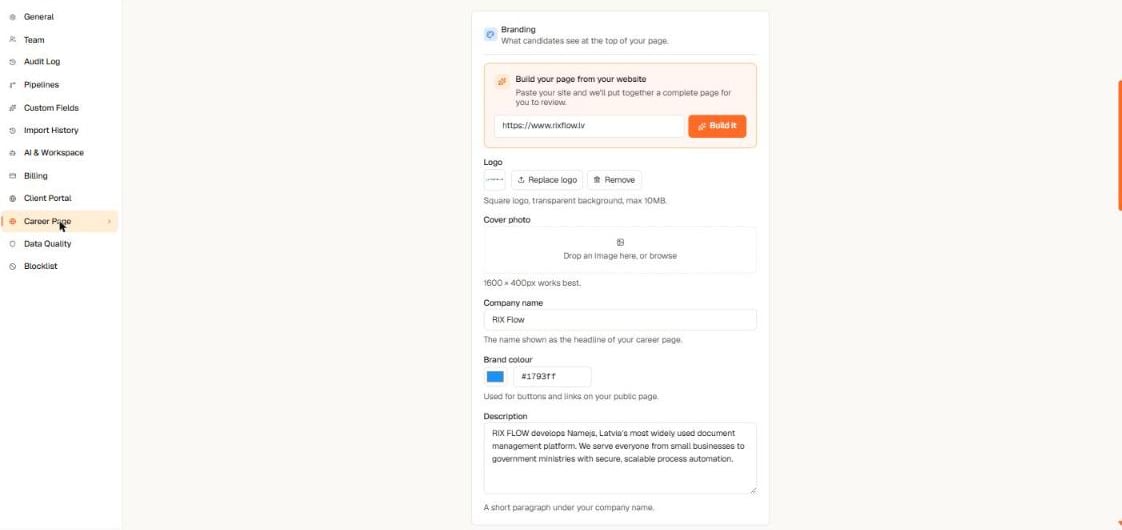
Paste your website address and Yena assembles a complete draft page for you
- Open Tenant Admin → Career Page.
- In Build your page from your website, paste your company website address and select Build it.
- Yena reads your site and drafts the whole page: logo, brand colour, company description, an About story, and reasons to join.
- Review the draft — every text is editable — then apply it.
2. Choose a design
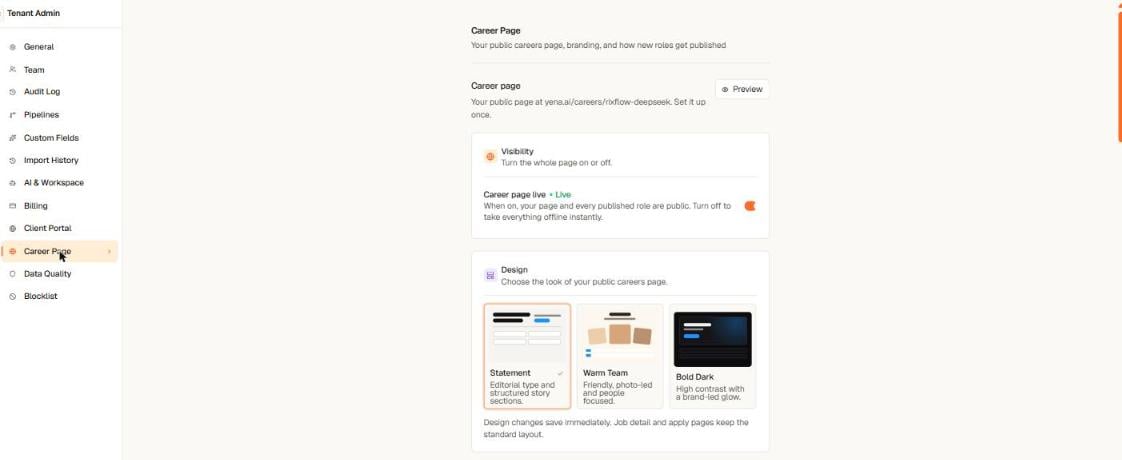
Three hand-crafted designs — switch any time, your content stays
- Statement — editorial type and structured story sections. The default.
- Warm Team — friendly, photo-led and people focused.
- Bold Dark — high contrast with a brand-led glow.
3. Tell your story
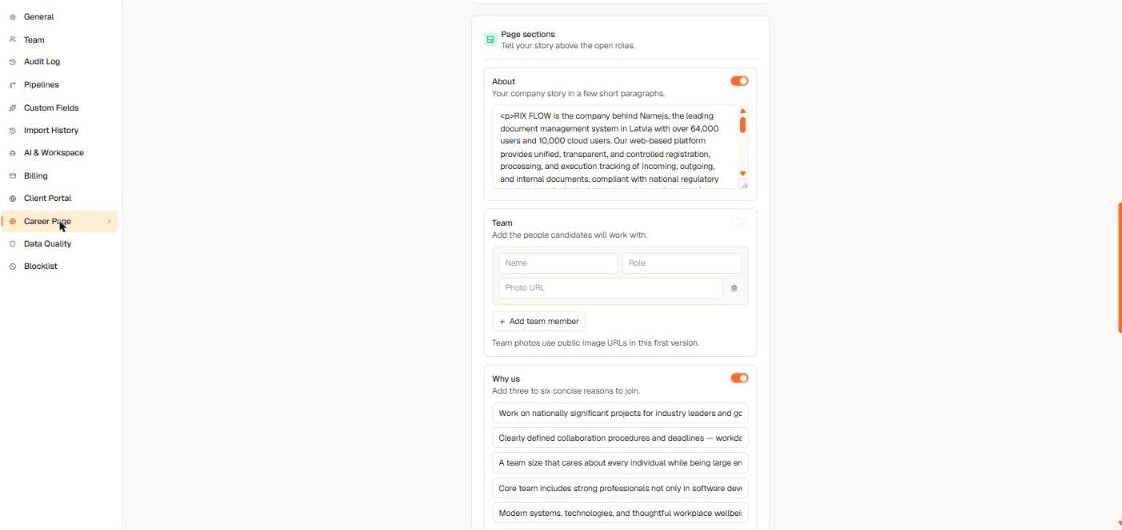
Optional story sections render above your open roles — empty sections simply don't appear
- About — your company story in a few short paragraphs.
- Team — the people candidates will work with, with photo, name, and role.
- Why us — three to six concise reasons to join.
- Photo strip — a row of workplace images.
4. Go live
In the Visibility card, switch Career page live on. Your page and every published role are now public at your address. Switching it off takes everything offline instantly.What you get automatically
- Google-ready pages. The public page is server-rendered with structured job data, so search engines read your roles without any extra work. Each page also publishes its own sitemap.
- A hosted address. No hosting, no DNS setup, no maintenance.
- Applicants land in your pipeline. Every application arrives as a parsed candidate profile — see How applying works.