

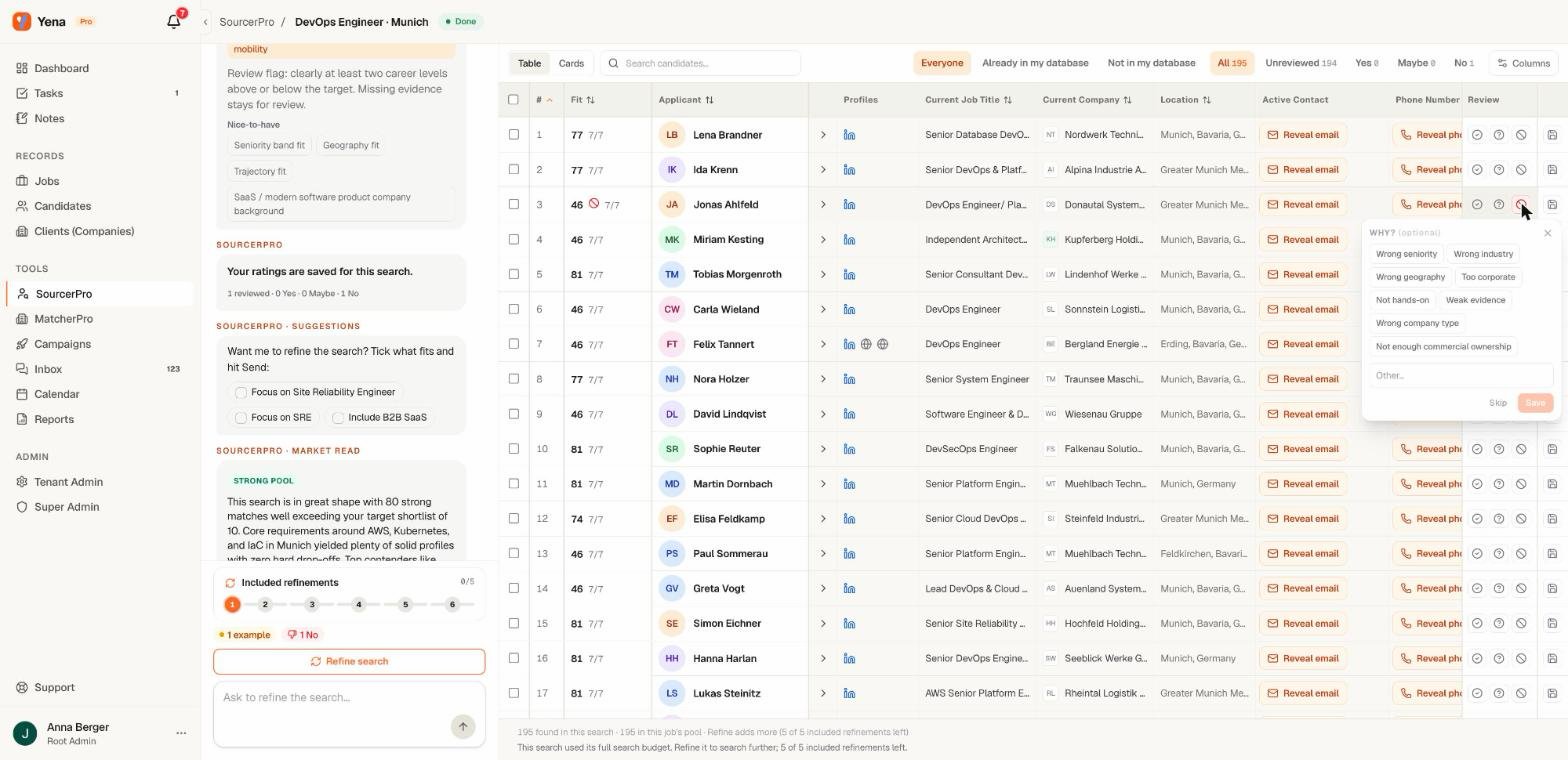
Yes, Maybe and No on a row, with the reason box open
Mark a person
Each row has three buttons in the Review column: Yes, Maybe and No. Hover a button to see its name. After you click, a small box asks Why? It is optional. Pick one or more ready-made reasons, or type your own under Other…, then click Save. Skip closes the box and keeps your label. Examples of ready-made reasons:- On a Yes: Strong fit, Right seniority, Right industry, Good trajectory.
- On a Maybe: Need more evidence, Seniority unclear, Location unclear.
- On a No: Wrong seniority, Wrong industry, Wrong geography, Not hands-on.
Why reasons matter
A label says what you decided. A reason says why. The next refinement reads both. Reasons that repeat become rules, and a reason given once counts as an example. The row of chips above the Refine search button shows you what the refinement will be based on. See Refining a search.Calibrate on real signal
Judge profiles the way you would before submitting to a client. Consistent feedback on a handful of profiles moves a refinement more than scattered feedback on many.The summary in the chat panel
Your ratings are saved for the search. Once you have reviewed five people, the chat panel adds a card, I’m learning your target, that plays your judgment back:- Your Yes candidates look like the traits they share.
- Your No candidates are rejected for the reasons you gave.
- Still unsure about what your Maybes leave open.
- Next best move a suggested next step.
When to refine the brief instead
If most of the list misses in the same direction, the brief is the problem, not the ranking. Add the constraint that is implicitly missing and run again.Calibration tunes within a brief; it can’t rescue a brief that describes a different role.