> ## Documentation Index
> Fetch the complete documentation index at: https://support.yena.ai/llms.txt
> Use this file to discover all available pages before exploring further.
# Import history
> Every CSV and CV import, logged with its outcome — the audit trail for everything that entered the workspace.
**Tenant Admin → Import History** lists every import that ever ran: what was imported, by whom, when, and how it went.
## What it's for
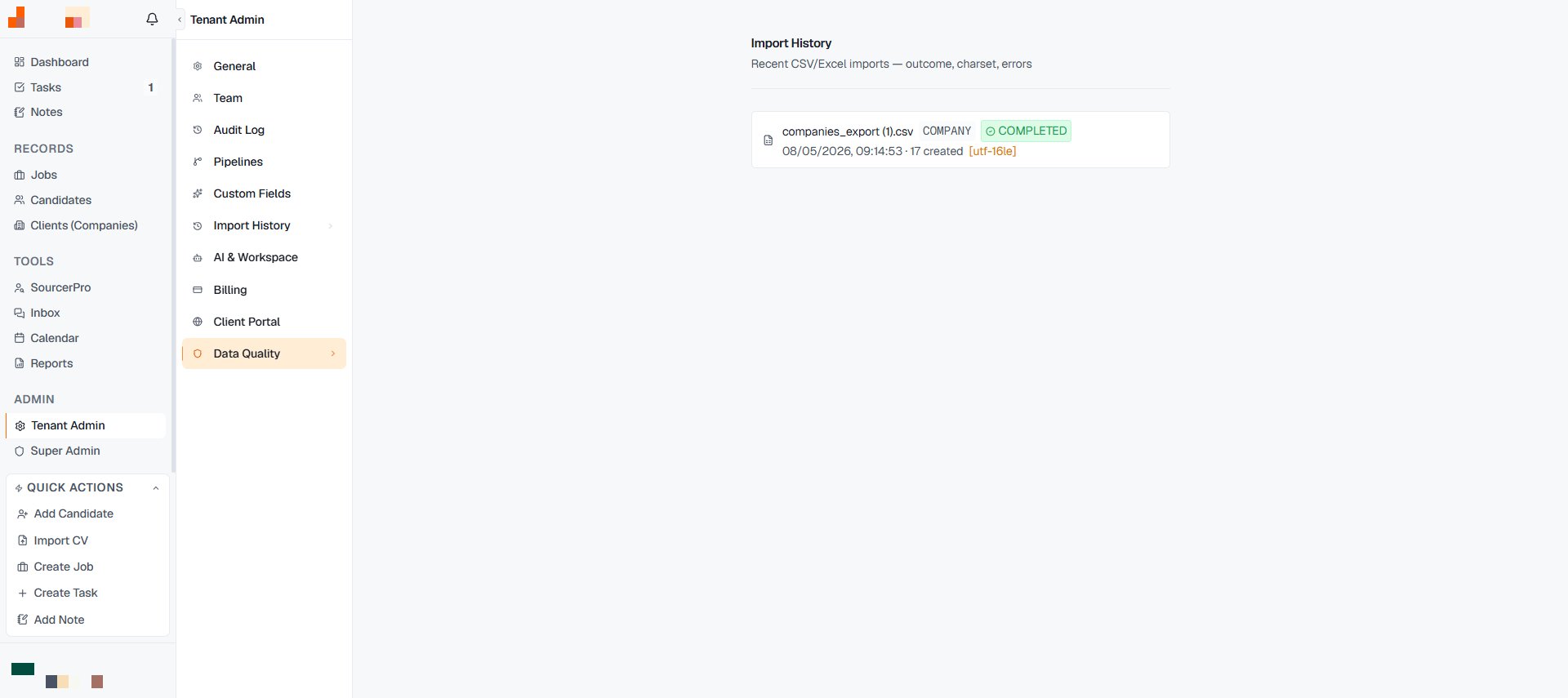 * **Migration verification.** After a [spreadsheet migration](/en/guides/migrating-from-spreadsheets), the history is where you confirm all rows arrived — and re-run what didn't, instead of guessing.
* **Origin questions.** "Where did this candidate come from?" sometimes has a compliance edge under GDPR — being able to say "CSV import from our legacy ATS, 13 July 2026" is a real answer. Sourced candidates carry their origin on the record; imports carry theirs here.
* **Duplicate forensics.** When two similar records exist, the import history tells you which arrived when — the starting point before merging anything.
Big import planned? Do a ten-row test file first. The history shows you the outcome shape immediately, and fixing a mapping on ten rows beats fixing it on ten thousand.
* **Migration verification.** After a [spreadsheet migration](/en/guides/migrating-from-spreadsheets), the history is where you confirm all rows arrived — and re-run what didn't, instead of guessing.
* **Origin questions.** "Where did this candidate come from?" sometimes has a compliance edge under GDPR — being able to say "CSV import from our legacy ATS, 13 July 2026" is a real answer. Sourced candidates carry their origin on the record; imports carry theirs here.
* **Duplicate forensics.** When two similar records exist, the import history tells you which arrived when — the starting point before merging anything.
Big import planned? Do a ten-row test file first. The history shows you the outcome shape immediately, and fixing a mapping on ten rows beats fixing it on ten thousand.