> ## Documentation Index
> Fetch the complete documentation index at: https://support.yena.ai/llms.txt
> Use this file to discover all available pages before exploring further.
# Refining a search
> Suggestions, the refine chat, and the market read: what to do after the first shortlist.
A finished search is a starting position. The Sourcer gives you three levers to sharpen it, all on the search page.
 ## Suggestions
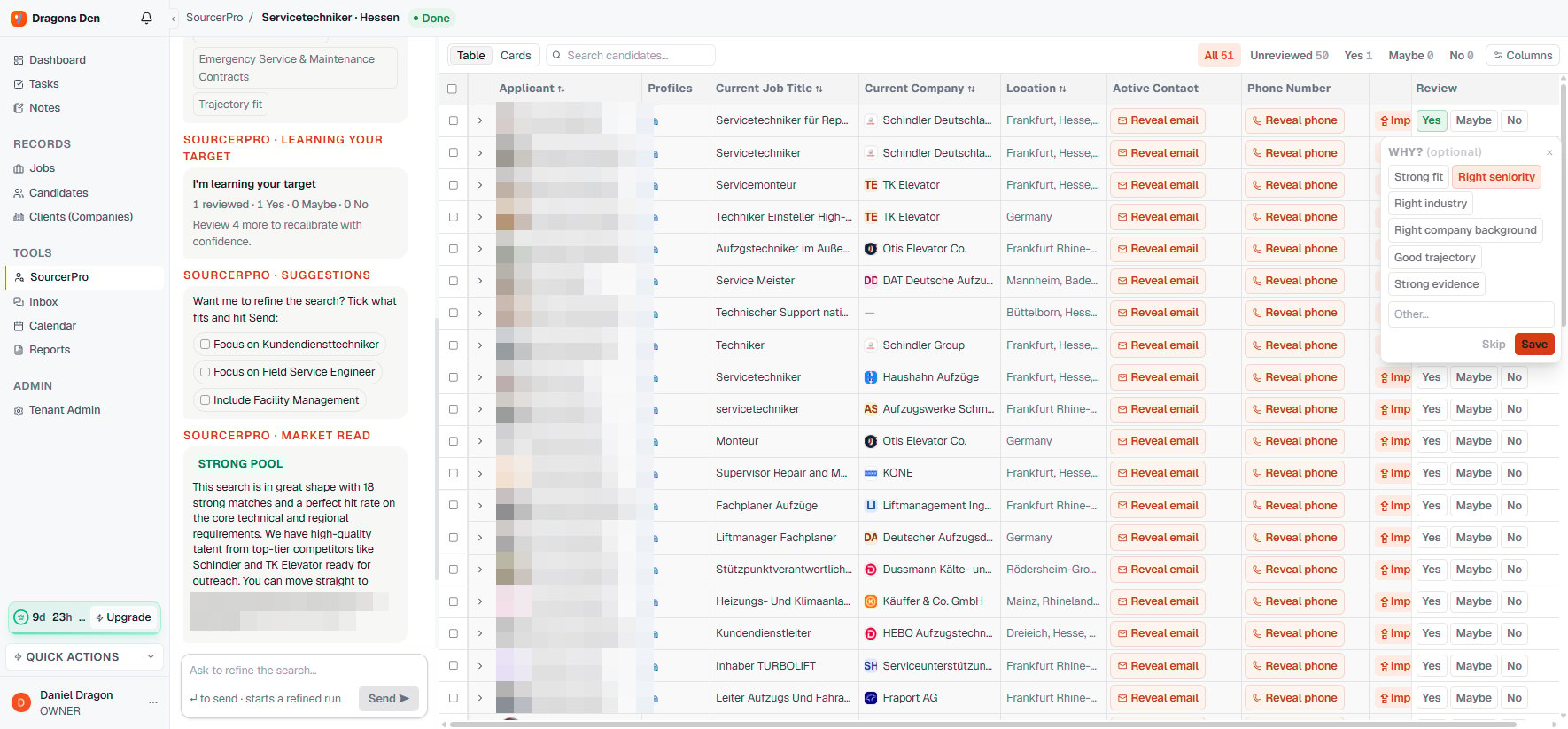
The Sourcer proposes concrete refinements based on what it found ("Focus on Kundendiensttechniker", "Include Facility Management"). Tick what fits and send: a refined run starts with those constraints applied.
## The refine chat
Anything you'd say to a researcher, you can type into **Ask to refine the search**: widen the radius, drop an industry, weigh certifications higher. Sending starts a refined run against the same mandate.
## The market read
Every search comes with an honest read of the pool: how strong the match rate is, which competitor companies the talent sits in, and whether you can go straight to screening. A thin pool is stated as a thin pool, which is exactly what you want to know before you promise a client numbers.
Reviewing candidates with Yes / Maybe / No feeds the same engine: after a handful of reviews the Sourcer recalibrates the ranking with confidence. See [Calibrating results](/en/sourcer/calibrating-results).
## Suggestions
The Sourcer proposes concrete refinements based on what it found ("Focus on Kundendiensttechniker", "Include Facility Management"). Tick what fits and send: a refined run starts with those constraints applied.
## The refine chat
Anything you'd say to a researcher, you can type into **Ask to refine the search**: widen the radius, drop an industry, weigh certifications higher. Sending starts a refined run against the same mandate.
## The market read
Every search comes with an honest read of the pool: how strong the match rate is, which competitor companies the talent sits in, and whether you can go straight to screening. A thin pool is stated as a thin pool, which is exactly what you want to know before you promise a client numbers.
Reviewing candidates with Yes / Maybe / No feeds the same engine: after a handful of reviews the Sourcer recalibrates the ranking with confidence. See [Calibrating results](/en/sourcer/calibrating-results).