> ## Documentation Index
> Fetch the complete documentation index at: https://support.yena.ai/llms.txt
> Use this file to discover all available pages before exploring further.
# Sharing a shortlist through the client portal
> Create a portal workspace for the client, choose exactly which candidates they see, and collect approve/decline feedback.
The client portal replaces the PDF-by-email ritual. Your client gets a branded page where they review the candidates you chose to present, and their feedback lands back in Yena.
On any job, open the **Portal** tab and create the portal workspace. One portal link can carry several job projects for the same client while feedback stays project-specific.
Your pipeline is internal. In the portal's **Candidates** section, click **+ Add** and pick from your pipeline candidates: only the people you select are presented.
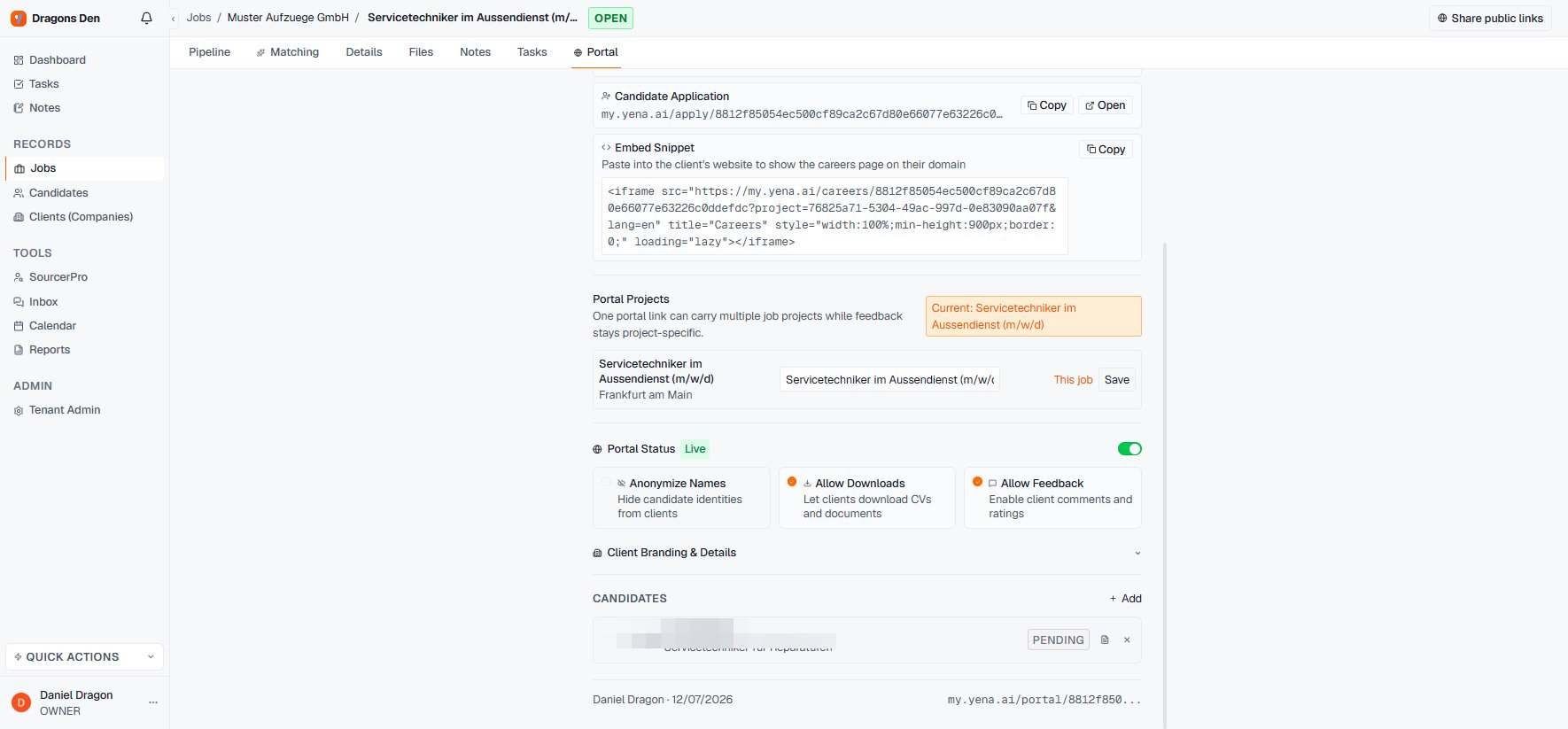 Toggles control the experience: **Anonymize Names** (hide identities, useful pre-contract), **Allow Downloads** (CVs and documents), **Allow Feedback** (comments and ratings). Client branding and details are configurable, and the portal can be taken offline with one switch.
**Copy Link** and send it. The client sees the shortlist with **Approve / Decline** on every candidate, batch by batch, in their language (the portal has its own language switcher).
Toggles control the experience: **Anonymize Names** (hide identities, useful pre-contract), **Allow Downloads** (CVs and documents), **Allow Feedback** (comments and ratings). Client branding and details are configurable, and the portal can be taken offline with one switch.
**Copy Link** and send it. The client sees the shortlist with **Approve / Decline** on every candidate, batch by batch, in their language (the portal has its own language switcher).
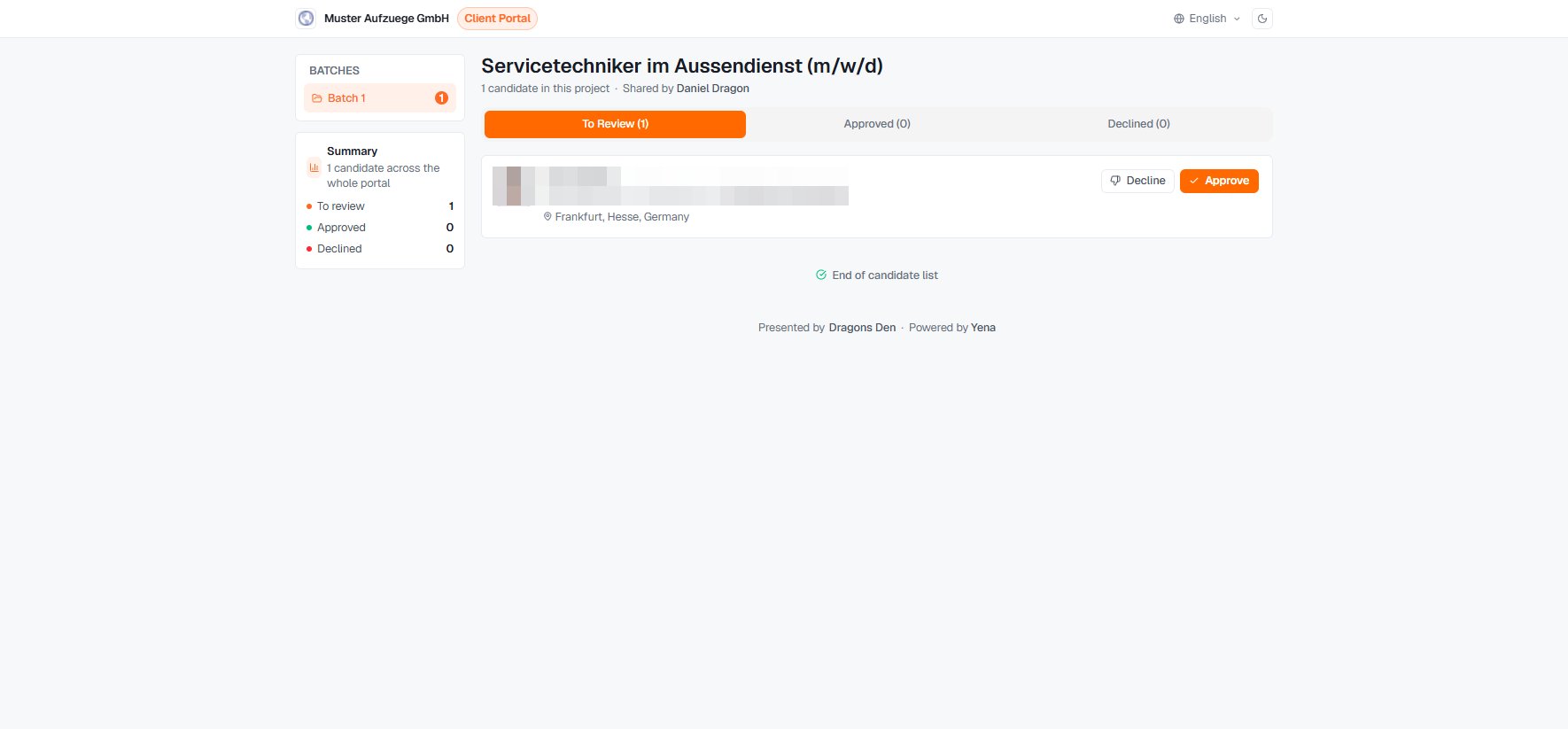 The job header also has **Share public links** and **Manage Access** for controlling who reaches the portal. Candidate and view counters on the Portal tab show whether the client has actually looked.