> ## Documentation Index
> Fetch the complete documentation index at: https://support.yena.ai/llms.txt
> Use this file to discover all available pages before exploring further.
# Careers pages, apply links, and embeds
> Every job gets candidate-facing public links: a careers page, an application form, and an embed for the client's own website.
Beyond the client-facing portal, each job carries **public, candidate-facing links** you can use in outreach or hand to the client:
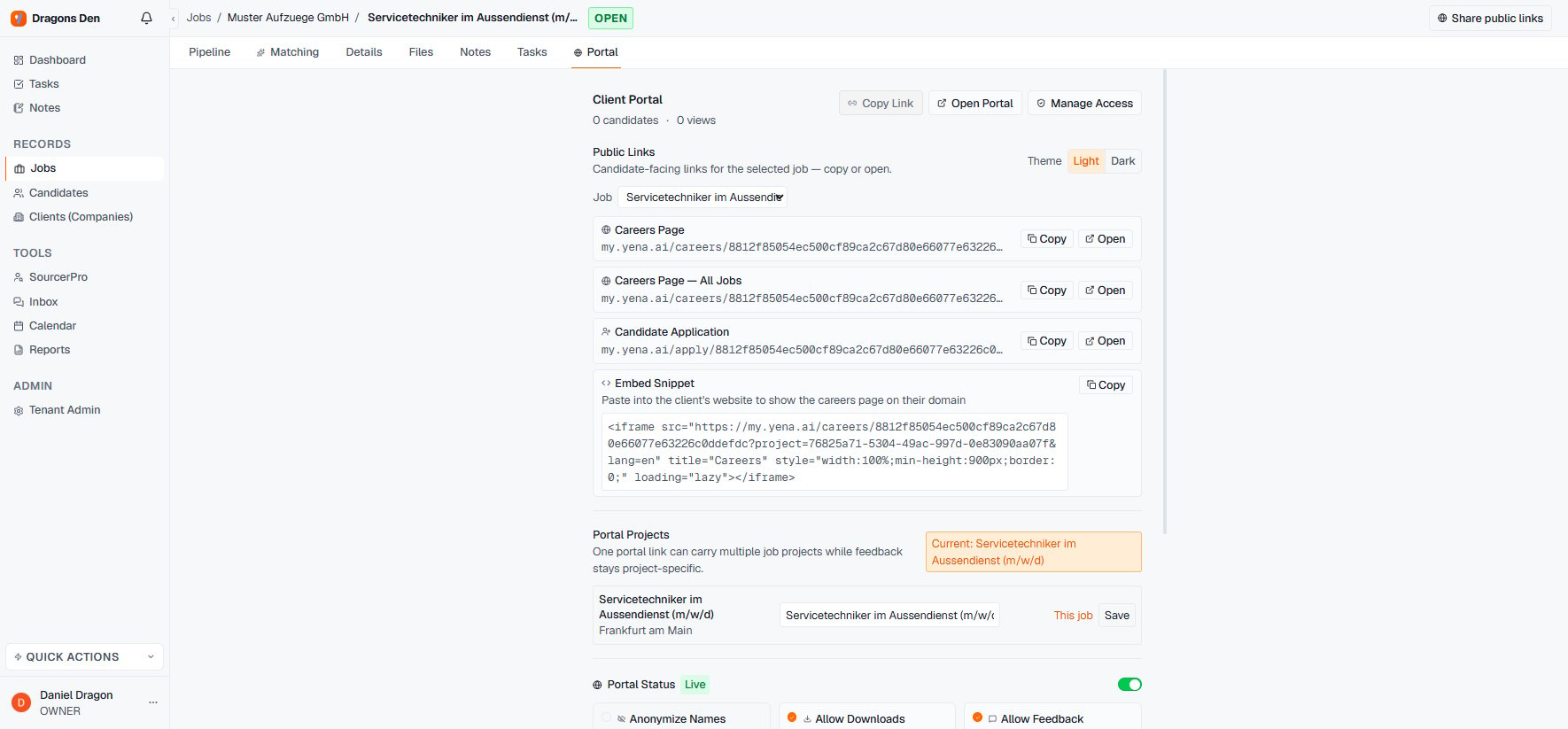 * **Careers Page** shows the single job, publicly, in light or dark theme.
* **Careers Page (All Jobs)** lists every open role in the portal workspace, so one link covers the client's whole slate.
* **Candidate Application** is a direct apply link; applicants land in the job's pipeline.
* **Embed Snippet** is an iframe the client pastes into their own website, so the careers page runs on their domain while you manage everything from Yena.
Copy buttons sit next to every link. If the client wants "a careers section on our site" as part of the mandate, the embed snippet is the two-minute answer.
* **Careers Page** shows the single job, publicly, in light or dark theme.
* **Careers Page (All Jobs)** lists every open role in the portal workspace, so one link covers the client's whole slate.
* **Candidate Application** is a direct apply link; applicants land in the job's pipeline.
* **Embed Snippet** is an iframe the client pastes into their own website, so the careers page runs on their domain while you manage everything from Yena.
Copy buttons sit next to every link. If the client wants "a careers section on our site" as part of the mandate, the embed snippet is the two-minute answer.