> ## Documentation Index
> Fetch the complete documentation index at: https://support.yena.ai/llms.txt
> Use this file to discover all available pages before exploring further.
# Pipeline stages and moving candidates
> Every job has a candidate pipeline from New to Hired. Assign from the pool, drag between stages, rename or add stages.
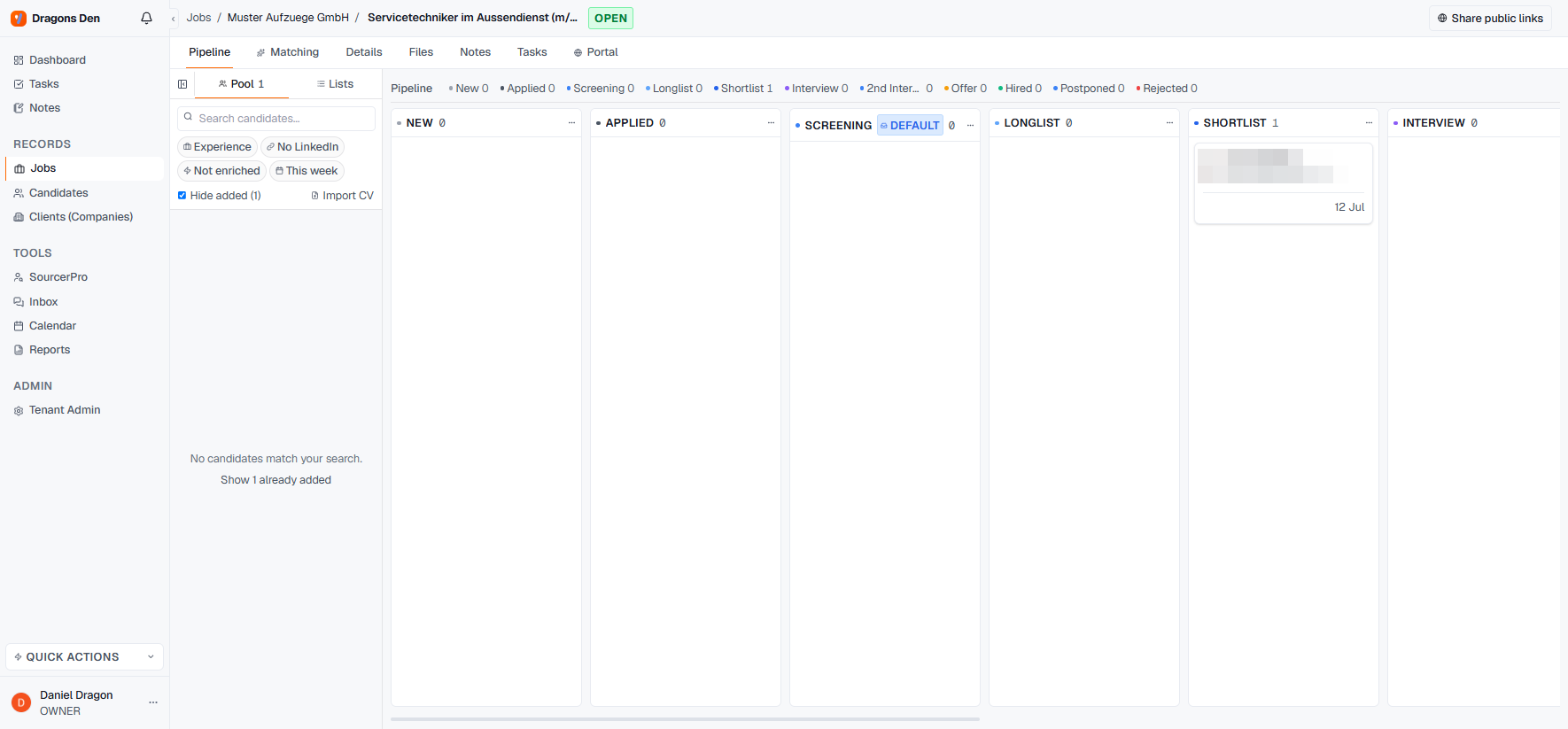
Open any job and the **Pipeline** tab shows the search as columns: **New, Applied, Screening, Longlist, Shortlist, Interview, 2nd Interview, Offer, Hired, Postponed, Rejected**.
 ## Getting candidates in
The left rail is your **pool**: every candidate in your database, with filters (experience, LinkedIn, enrichment status, recency) and a search box. Drag a candidate onto a column, or click the **+** on their card and pick the stage. **Import CV** sits right there for candidates that arrive as files.
## Working the pipeline
* Drag cards between stages as the search progresses; the counters across the top always show the state of the race.
* Click a card for the full candidate preview without leaving the pipeline.
* Stages are yours: **rename** any column or **add stages** via the column menu, per job.
The pipeline is internal. Presenting candidates to the client happens through the [client portal](/en/portal/sharing-a-shortlist), where you choose exactly who the client sees.
## Getting candidates in
The left rail is your **pool**: every candidate in your database, with filters (experience, LinkedIn, enrichment status, recency) and a search box. Drag a candidate onto a column, or click the **+** on their card and pick the stage. **Import CV** sits right there for candidates that arrive as files.
## Working the pipeline
* Drag cards between stages as the search progresses; the counters across the top always show the state of the race.
* Click a card for the full candidate preview without leaving the pipeline.
* Stages are yours: **rename** any column or **add stages** via the column menu, per job.
The pipeline is internal. Presenting candidates to the client happens through the [client portal](/en/portal/sharing-a-shortlist), where you choose exactly who the client sees.