> ## Documentation Index
> Fetch the complete documentation index at: https://support.yena.ai/llms.txt
> Use this file to discover all available pages before exploring further.
# Smart Match: your database against a new mandate
> Match candidates you already have against a job's criteria, with a ready-to-share rationale.
Before you source externally, check the talent you already own. The **Matching** tab on every job runs your existing candidate pool against the mandate.
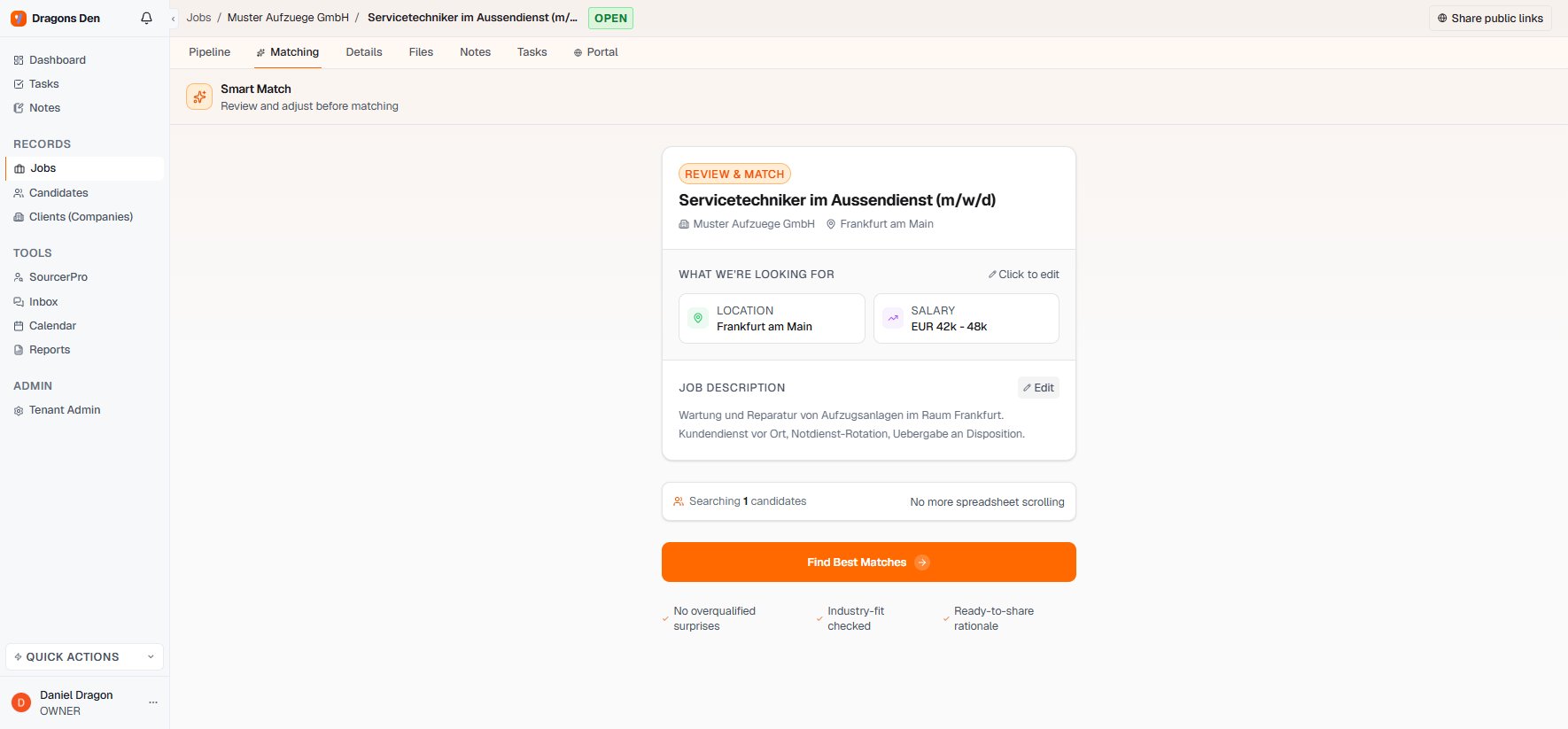 Smart Match reads the job's location, salary range, and description. Every field is editable before you run it, the same review-then-run pattern as the Sourcer.
The match checks industry fit and flags overqualified profiles instead of surprising you with them, and produces a rationale you can share.
This is why importing good candidates pays off even when they lose a race: the silver medalists from one mandate are the first matches on the next one. See [Candidate records](/en/pipeline/candidate-records) for the Similar tab, which works the other way around.
Smart Match reads the job's location, salary range, and description. Every field is editable before you run it, the same review-then-run pattern as the Sourcer.
The match checks industry fit and flags overqualified profiles instead of surprising you with them, and produces a rationale you can share.
This is why importing good candidates pays off even when they lose a race: the silver medalists from one mandate are the first matches on the next one. See [Candidate records](/en/pipeline/candidate-records) for the Similar tab, which works the other way around.