> ## Documentation Index
> Fetch the complete documentation index at: https://support.yena.ai/llms.txt
> Use this file to discover all available pages before exploring further.
# Custom stages and pipeline templates
> Reshape a single job's pipeline, or set workspace templates so every new mandate starts with your process.
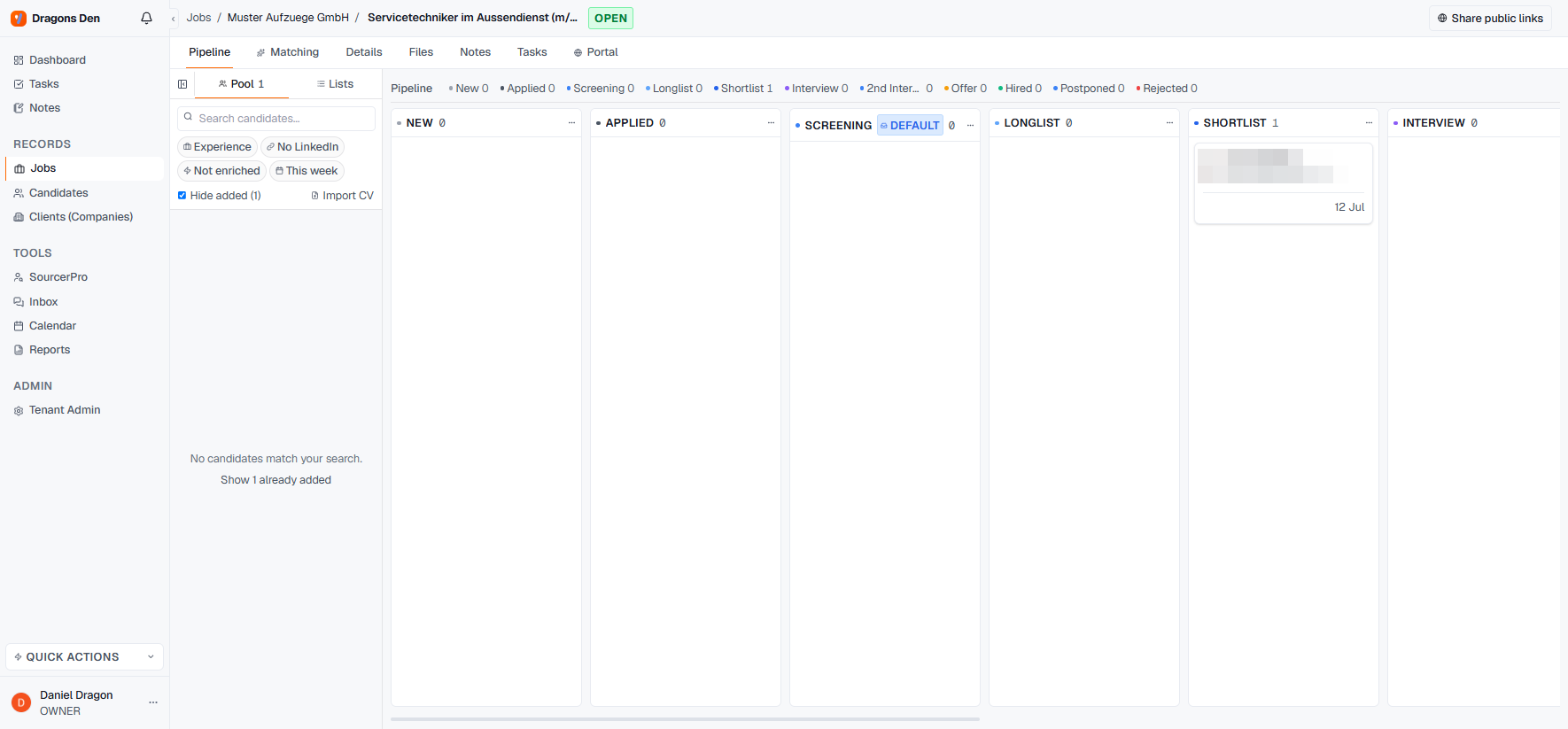
The default pipeline (New → Applied → Screening → Longlist → Shortlist → Interview → 2nd Interview → Offer → Hired, plus Postponed and Rejected) fits most desks. When it doesn't, two levels of control:
## Per job: rename and add stages
Every column's **⋯ menu** on a job's pipeline offers **Rename** and **Add Stage**. An executive search might want "Referenzen" between 2nd Interview and Offer; a temp desk might collapse the interview stages entirely. Changes apply to that job.
 ## Workspace-wide: pipeline templates
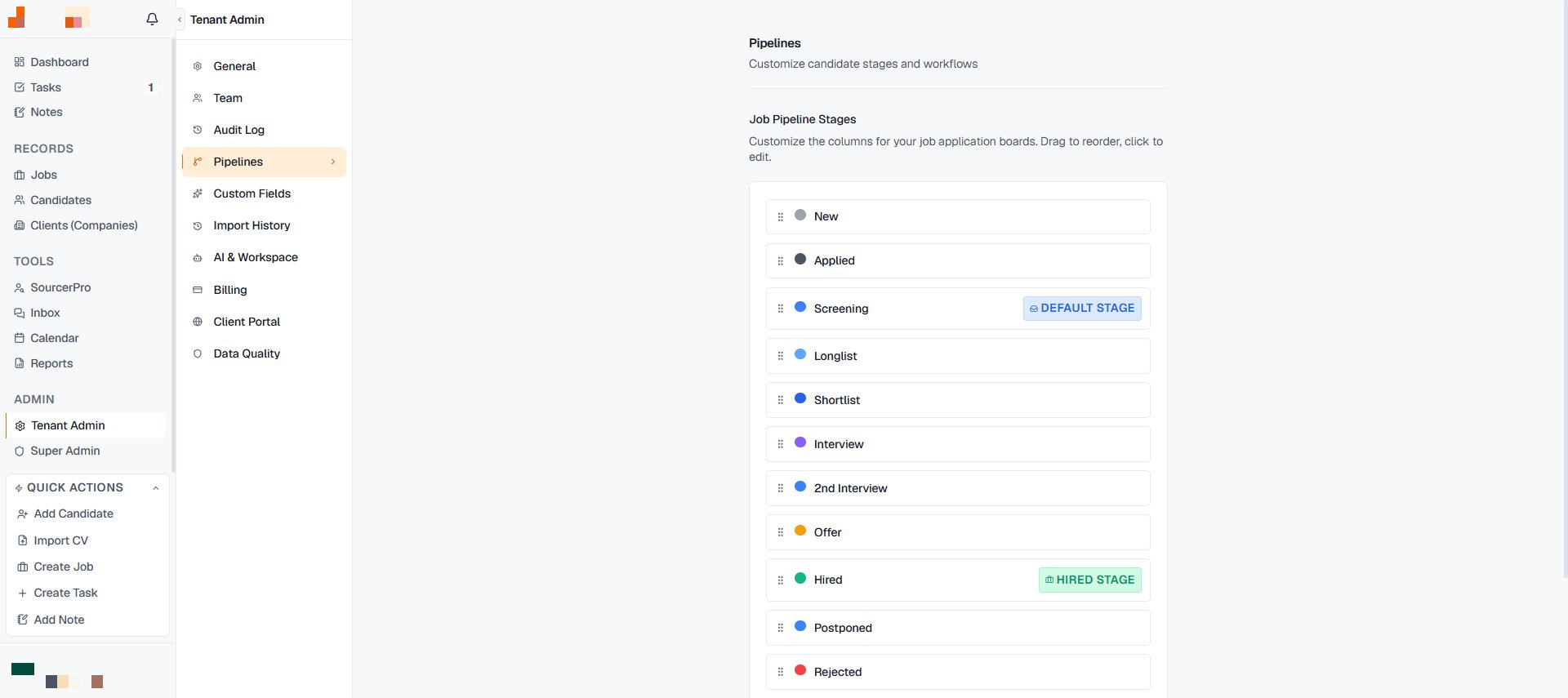 **Tenant Admin → Pipelines** holds the workspace templates, so every new mandate starts with your process instead of the default. Set it once when your team agrees on a flow; per-job edits still work on top.
## Why stage hygiene pays
The [Pipeline Funnel in Reports](/en/workspace/reports) aggregates by stage across all jobs. Consistent stage names are what make "where do our searches stall?" answerable — the funnel is only as honest as the columns.
**Tenant Admin → Pipelines** holds the workspace templates, so every new mandate starts with your process instead of the default. Set it once when your team agrees on a flow; per-job edits still work on top.
## Why stage hygiene pays
The [Pipeline Funnel in Reports](/en/workspace/reports) aggregates by stage across all jobs. Consistent stage names are what make "where do our searches stall?" answerable — the funnel is only as honest as the columns.