> ## Documentation Index
> Fetch the complete documentation index at: https://support.yena.ai/llms.txt
> Use this file to discover all available pages before exploring further.
# Creating and managing a mandate
> The three-step job wizard: core info, compensation and fee, description and notes.
Jobs in Yena are your mandates. Create one when a client gives you a search.
In **Jobs**, click **Add Job**. Step one takes the role title, the client company (create the company first under [Clients](/en/pipeline/client-accounts)), owner, status, employment type, and location. **Quick Create** skips the rest if you're in a hurry.
 Type the salary range as you'd say it ("EUR 42k - 48k") and Yena parses it into a structured range. Set the **fee type** (fixed or percentage) so deal value shows up in reporting, and drop a source link if the role came from somewhere.
A rich-text job description (client-facing) and internal notes (team-only). Then **Create Job**.
## The jobs board
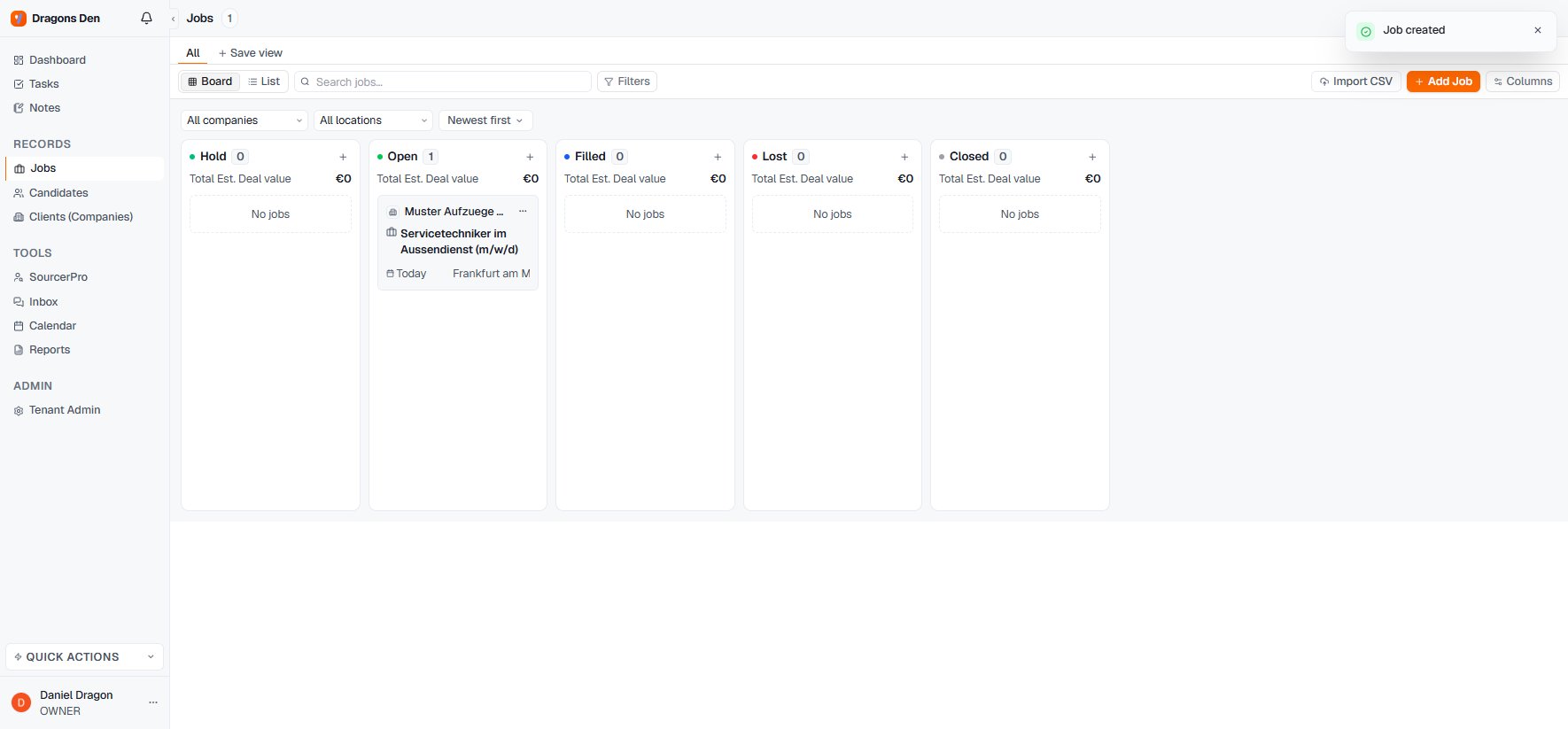
Mandates live on a board with deal-value totals per column: **Hold, Open, Filled, Lost, Closed**. Switch to list view for bulk work, or import existing jobs via CSV.
Type the salary range as you'd say it ("EUR 42k - 48k") and Yena parses it into a structured range. Set the **fee type** (fixed or percentage) so deal value shows up in reporting, and drop a source link if the role came from somewhere.
A rich-text job description (client-facing) and internal notes (team-only). Then **Create Job**.
## The jobs board
Mandates live on a board with deal-value totals per column: **Hold, Open, Filled, Lost, Closed**. Switch to list view for bulk work, or import existing jobs via CSV.