> ## Documentation Index
> Fetch the complete documentation index at: https://support.yena.ai/llms.txt
> Use this file to discover all available pages before exploring further.
# Your first Sourcer run
> Describe the role, approve the profile, get a ranked shortlist, then teach the Sourcer what good looks like.
The Sourcer is the heart of Yena. You describe the role you're hiring for, it drafts a structured candidate profile for you to approve, and then it returns a ranked shortlist. From there you calibrate: tell it which profiles are right and which are wrong, and the next pass gets sharper.
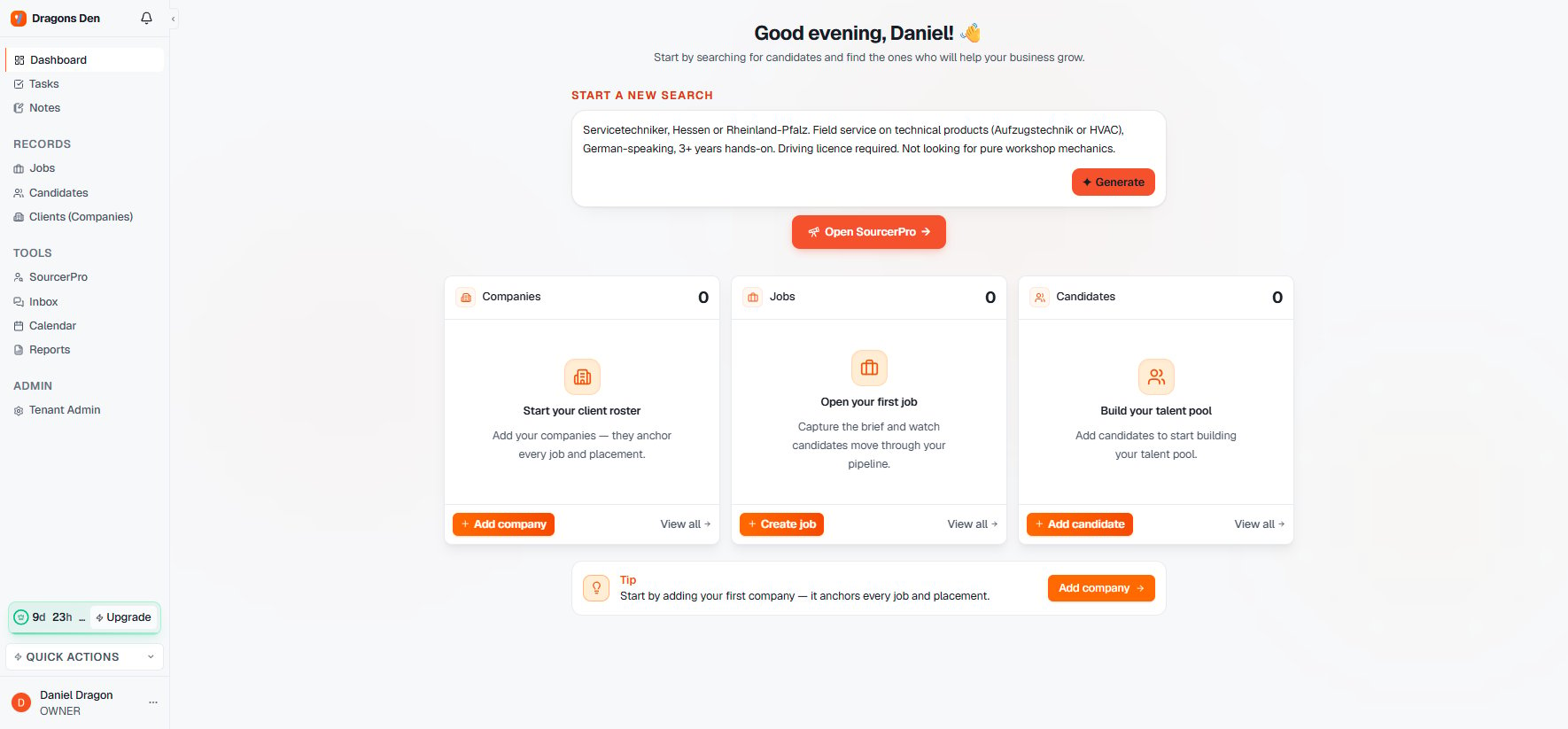
From your dashboard, write the brief into **Start a new search** the way you'd explain it to a colleague: the role, the seniority, the location, the must-haves. Concrete constraints beat long wish-lists. You can also paste a full job ad or drop a link.
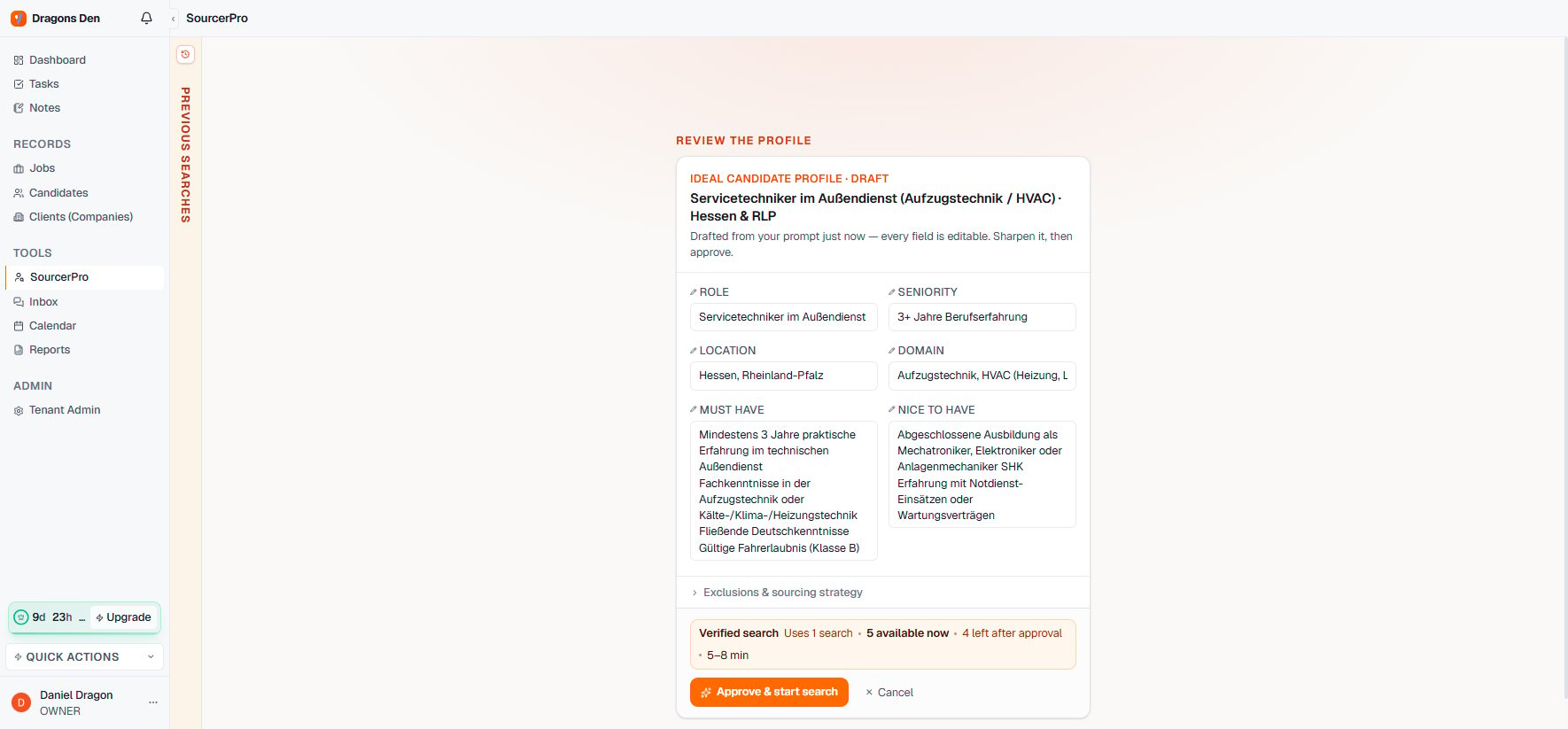
 The Sourcer turns your brief into an **Ideal Candidate Profile** draft: role, seniority, location, domain, must-haves, and nice-to-haves. Every field is editable. This is where your constraints become gates — check that the dealbreakers sit under must-have, not nice-to-have, then approve.
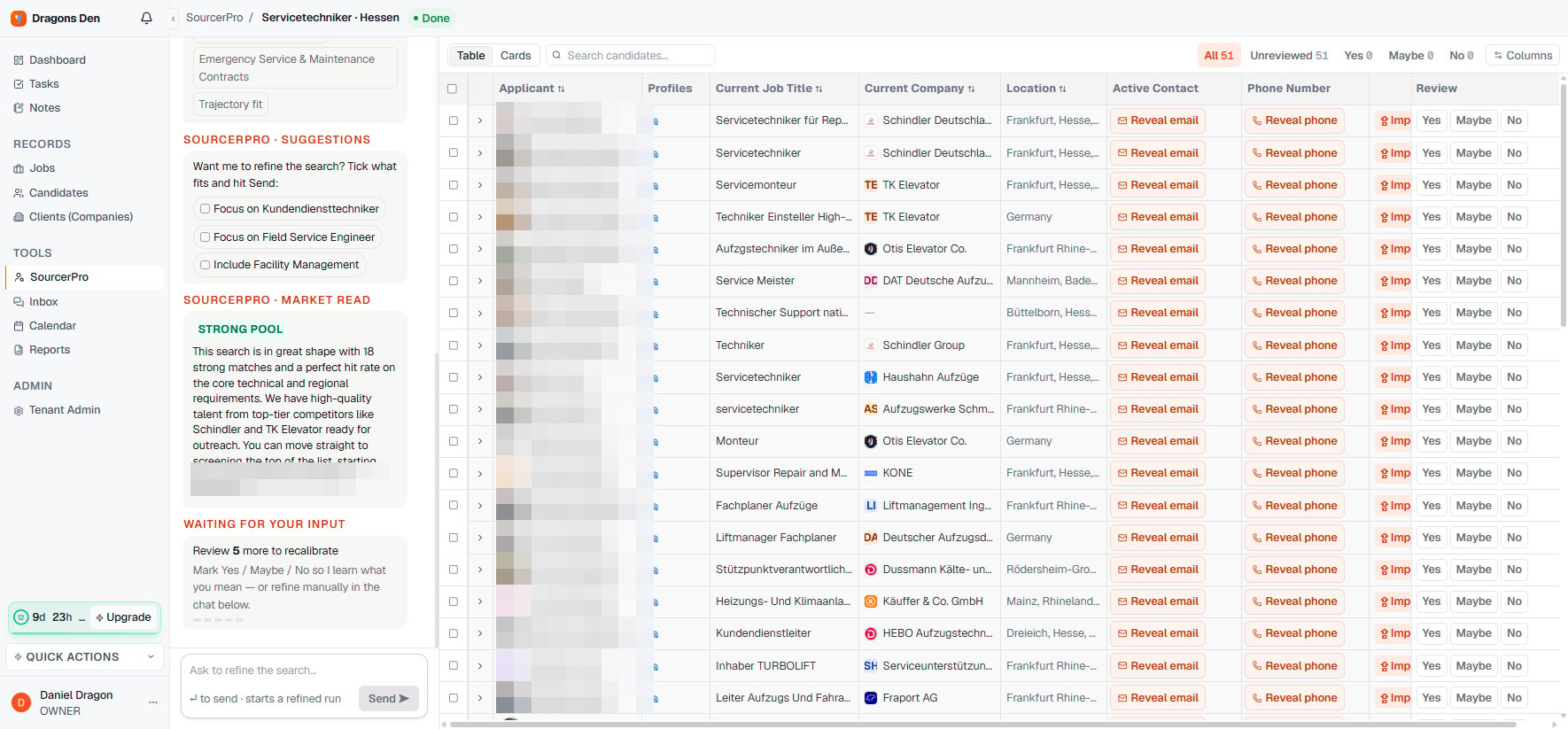
 A verified search typically takes 5–8 minutes. You can watch candidates appear as they clear screening.
The Sourcer returns candidates ranked against your profile, not keyword matches. Look at the top profiles first and ask: is this the shape of person I'd actually submit?
A verified search typically takes 5–8 minutes. You can watch candidates appear as they clear screening.
The Sourcer returns candidates ranked against your profile, not keyword matches. Look at the top profiles first and ask: is this the shape of person I'd actually submit?
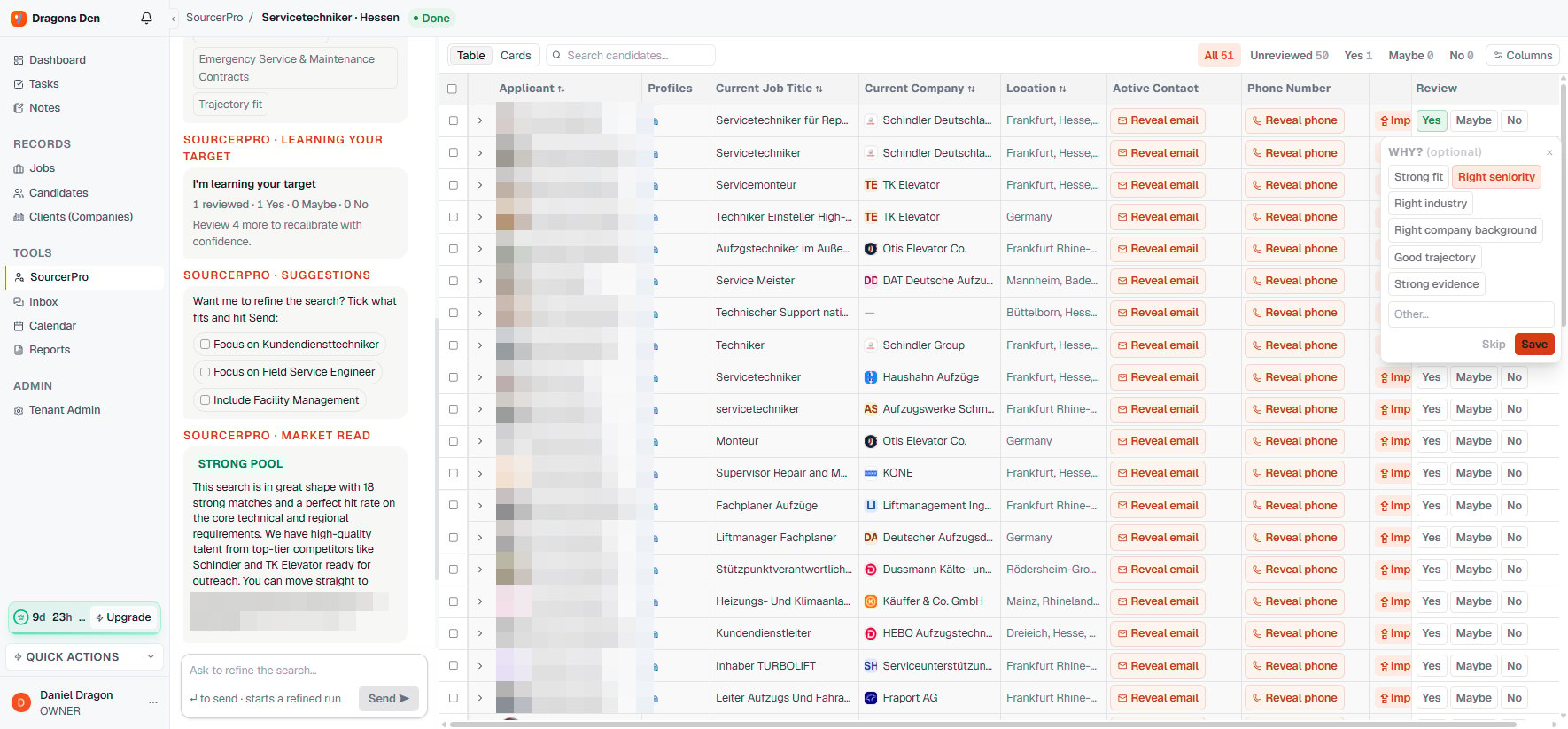
 Mark the profiles that fit and the ones that don't, or ask for a refined run in the search chat. This feedback is the point of the loop: the Sourcer adjusts to your judgment of the market, not a generic one.
 A couple of calibration passes on a real mandate is the honest test of whether Yena works for your desk.
Stuck on a search? [Talk to us](https://www.yena.ai/contact) and bring the actual role. We'd rather debug a real mandate than a hypothetical one.
A couple of calibration passes on a real mandate is the honest test of whether Yena works for your desk.
Stuck on a search? [Talk to us](https://www.yena.ai/contact) and bring the actual role. We'd rather debug a real mandate than a hypothetical one.