> ## Documentation Index
> Fetch the complete documentation index at: https://support.yena.ai/llms.txt
> Use this file to discover all available pages before exploring further.
# What is a campaign?
> Campaigns send a timed sequence of emails and LinkedIn messages to a chosen group of people, and stop the moment someone replies.
A campaign is a group of people plus one message sequence. You choose the people, write the steps, and Yena sends them on schedule — then stops for anyone who replies, so a real conversation is never interrupted by an automated follow-up.
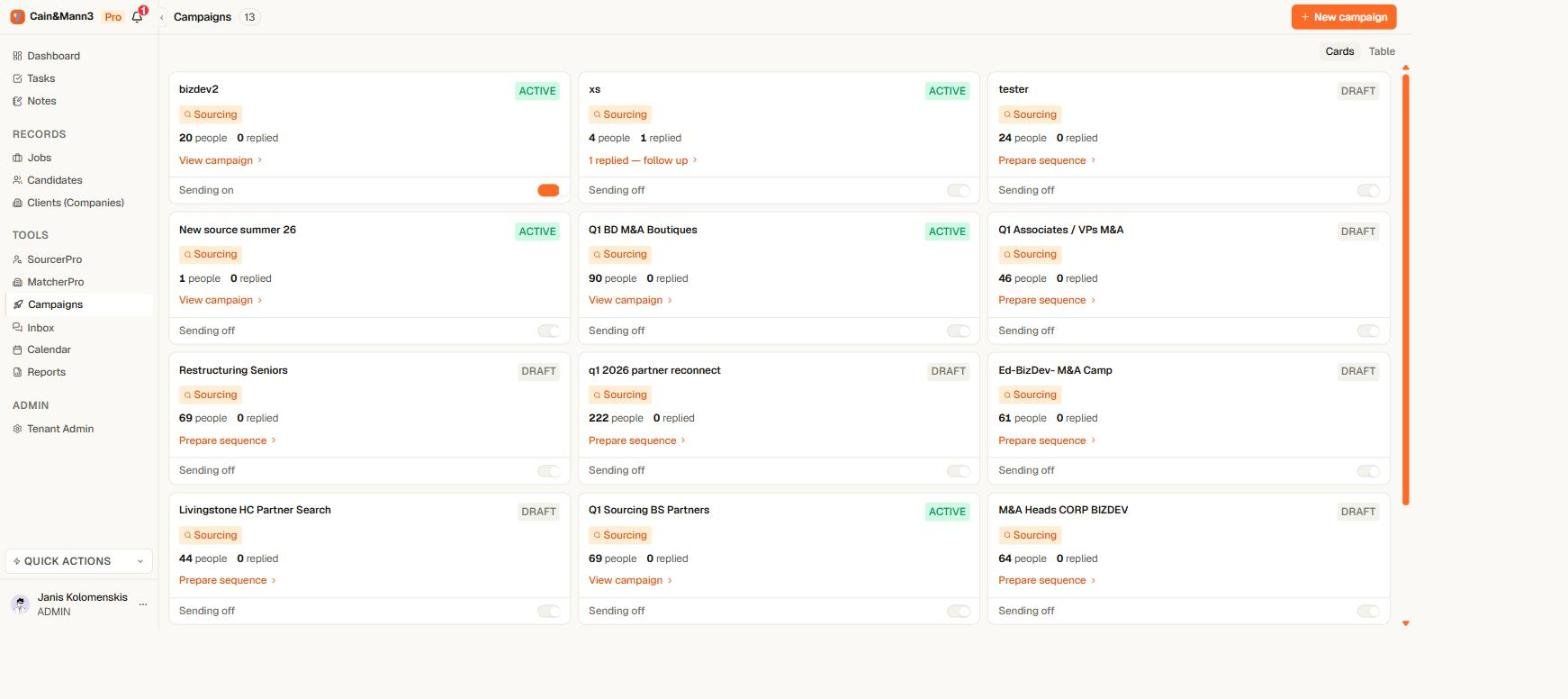 ## Two kinds of campaign
* **Sourcing** — reach out to candidates for a role. You can link a job so replies and pipeline stay connected.
* **Business Dev** — reach out to potential clients.
The mechanics are identical; the type keeps your list organised and your reporting honest.
## What a campaign can send
* **Email** — sent from your own connected Google or Microsoft account, with your signature.
* **LinkedIn connection request** — invites the person to connect. One per sequence.
* **LinkedIn message** — sent after you are connected. If the sequence starts with a connection request, Yena waits for the person to accept before the follow-up clock starts.
* **WhatsApp message** — for people with a WhatsApp number.
You can also add **task** and **call** steps as reminders for yourself — Yena never performs those automatically.
## The rules Yena enforces for you
* **A reply stops everything.** When a matched reply arrives on any channel, Yena exits that person from every campaign and cancels their remaining steps. You take over in **Inbox**.
* **Nothing sends until you switch it on.** Every campaign has one **Activate sending** switch on the Campaigns page. Building, editing, and previewing are always safe.
* **A campaign must be ready before it can start.** Yena checks your people, steps, sender accounts, and delivery window, and names anything that is missing.
* **Sending is paced.** Daily limits and human-like spacing protect your email deliverability and your LinkedIn account.
## Where to go next
1. [Run a campaign from setup to replies](/en/campaigns/run-a-campaign) — the full walkthrough.
2. [Build your sequence](/en/campaigns/build-your-sequence) — steps, timing, and personalization.
3. [Track progress and replies](/en/campaigns/track-progress-and-replies) — what every status means.
4. [Sending limits and account safety](/en/campaigns/sending-limits-and-safety) — how Yena protects your accounts.
Campaigns are available on the Pro and Team plans. You will also need a [connected email account](/en/integrations/connect-email) or [connected LinkedIn account](/en/integrations/connect-linkedin) to send.
## Two kinds of campaign
* **Sourcing** — reach out to candidates for a role. You can link a job so replies and pipeline stay connected.
* **Business Dev** — reach out to potential clients.
The mechanics are identical; the type keeps your list organised and your reporting honest.
## What a campaign can send
* **Email** — sent from your own connected Google or Microsoft account, with your signature.
* **LinkedIn connection request** — invites the person to connect. One per sequence.
* **LinkedIn message** — sent after you are connected. If the sequence starts with a connection request, Yena waits for the person to accept before the follow-up clock starts.
* **WhatsApp message** — for people with a WhatsApp number.
You can also add **task** and **call** steps as reminders for yourself — Yena never performs those automatically.
## The rules Yena enforces for you
* **A reply stops everything.** When a matched reply arrives on any channel, Yena exits that person from every campaign and cancels their remaining steps. You take over in **Inbox**.
* **Nothing sends until you switch it on.** Every campaign has one **Activate sending** switch on the Campaigns page. Building, editing, and previewing are always safe.
* **A campaign must be ready before it can start.** Yena checks your people, steps, sender accounts, and delivery window, and names anything that is missing.
* **Sending is paced.** Daily limits and human-like spacing protect your email deliverability and your LinkedIn account.
## Where to go next
1. [Run a campaign from setup to replies](/en/campaigns/run-a-campaign) — the full walkthrough.
2. [Build your sequence](/en/campaigns/build-your-sequence) — steps, timing, and personalization.
3. [Track progress and replies](/en/campaigns/track-progress-and-replies) — what every status means.
4. [Sending limits and account safety](/en/campaigns/sending-limits-and-safety) — how Yena protects your accounts.
Campaigns are available on the Pro and Team plans. You will also need a [connected email account](/en/integrations/connect-email) or [connected LinkedIn account](/en/integrations/connect-linkedin) to send.